
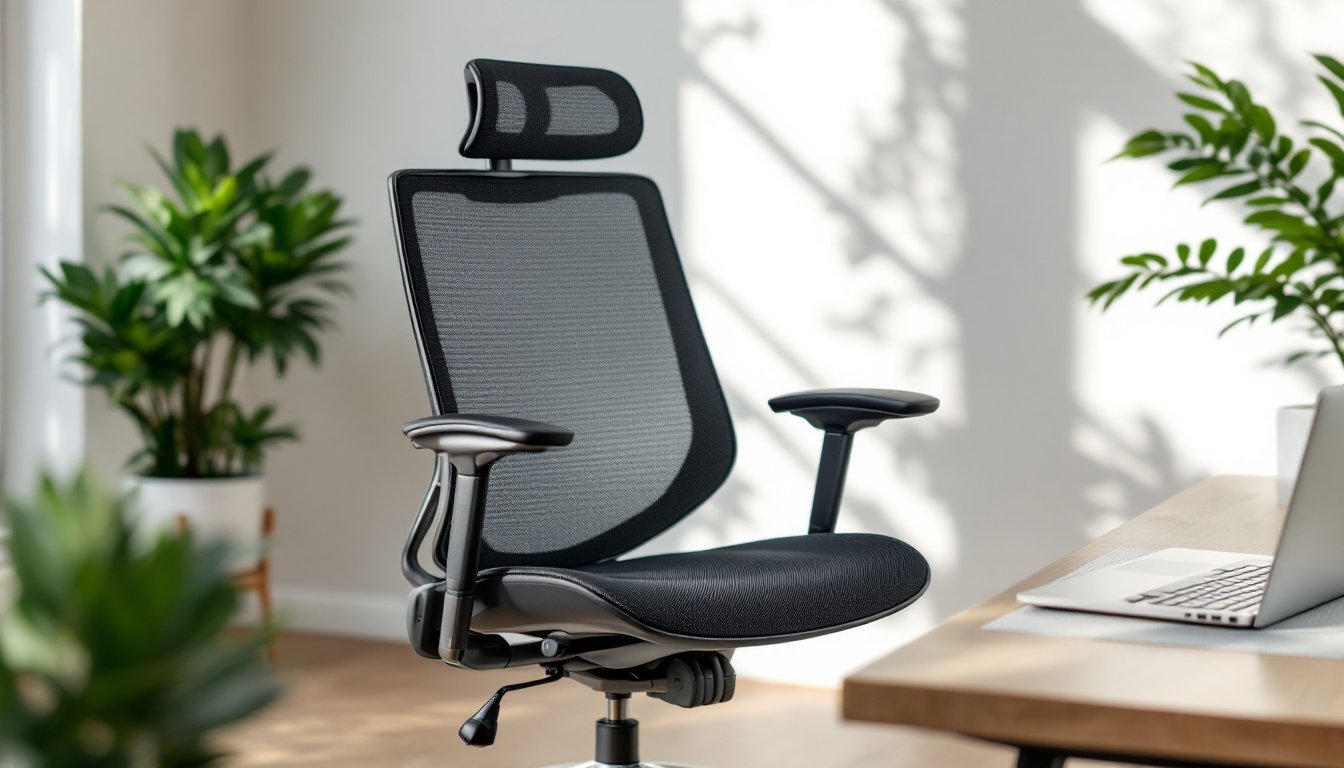
Setting up a home office isn’t just about throwing a desk in the spare bedroom anymore. If you’re spending six, eight, or ten hours a day in a chair, you’re going to feel it, in your back, your neck, and your productivity. A mesh ergonomic office chair isn’t a luxury: it’s infrastructure. The right one supports your spine, keeps you cool, and actually adjusts to how you sit. The wrong one? That’s a one-way ticket to afternoon slumps and chronic aches. This guide walks through what separates a solid mesh ergonomic chair from the cheap stuff, what features actually matter, and how to pick one that’ll last.
Table of Contents
ToggleKey Takeaways
- A mesh ergonomic office chair provides breathability and support for long work sessions, reducing back strain and improving productivity compared to solid upholstery options.
- Adjustable lumbar support, armrests, and seat customization are essential features—look for at least 3-4 inches of vertical lumbar adjustment and 4D armrest adjustability to avoid chronic aches.
- Mesh construction offers superior breathability, low maintenance, and durability compared to leather or fabric, making it ideal for home offices where you spend six to ten hours daily.
- Check aluminum frames for weight capacity (ideally 350 pounds), test all adjustments from a seated position, and prioritize a 5-year manufacturer warranty on the frame and mechanism.
- Regular maintenance including weekly dusting, quarterly caster inspection, and annual lubrication of moving parts will extend your mesh ergonomic office chair’s lifespan and maintain optimal performance.
What Makes a Mesh Ergonomic Office Chair Different?
A mesh ergonomic office chair uses a woven synthetic material, typically polyester or nylon, stretched over the backrest and sometimes the seat pan. Unlike solid upholstery, mesh allows airflow, which keeps your back from turning into a sweat factory during long work sessions.
But breathability is only part of the story. The mesh itself should have elasticity and structure. Cheap mesh sags within months and offers zero lumbar support. Quality mesh conforms to your spine’s natural curve while maintaining tension, distributing pressure across a wider surface area. This reduces hotspots that cause you to shift around constantly.
Ergonomics means the chair adapts to the user, not the other way around. A proper ergonomic chair includes adjustable lumbar support, seat depth, armrests, and recline tension. Mesh construction pairs well with these features because the material naturally flexes, unlike rigid leather or foam-backed fabric that can fight against your movements.
The frame matters too. Most mesh chairs use a molded plastic or aluminum frame. Aluminum frames add durability and support higher weight capacities, often up to 350 pounds compared to the 250-pound standard for budget models. Check the base as well: a five-point base with casters rated for your floor type (hard floor vs. carpet) prevents tipping and rolling issues.
Key Ergonomic Features to Look for in a Mesh Office Chair
Not all ergonomic chairs are created equal, and marketing copy loves to slap “ergonomic” on anything with a backrest. Here’s what actually makes a difference when you’re comparing models.
Lumbar Support and Adjustability
Lumbar support targets the lower back’s natural inward curve (the lordotic curve). Without it, you’ll slump forward, straining the muscles and discs in your lumbar spine. Many people assume any chair with a curve in the backrest provides lumbar support. Not true.
Look for adjustable lumbar support, either a separate cushion that moves up and down or a built-in mechanism you can dial in. The adjustment range should cover at least 3 to 4 inches vertically, because everyone’s spine sits at a different height depending on torso length. Some higher-end models include depth adjustment, pushing the lumbar pad forward or back.
If the chair only offers a fixed lumbar curve, sit in it before buying. A fixed curve in the wrong spot is worse than no curve at all. Your lower back should feel supported without forcing you into an unnatural arch.
Recline and tilt tension also affect lumbar comfort. A synchro-tilt mechanism rocks the seat and backrest at different angles (typically a 2:1 ratio), keeping your feet planted and your hips open as you lean back. Cheaper chairs use a basic tilt that pivots the whole seat, which can throw off your posture.
Armrest and Seat Height Customization
Armrests aren’t just a place to rest your elbows during Zoom calls. Properly adjusted armrests reduce shoulder and neck strain by supporting your forearms at keyboard height. You want 4D adjustable armrests: up/down (height), in/out (width), forward/back (depth), and pivot (angle).
Height adjustment alone isn’t enough. If the armrests are too far apart or angled wrong, they won’t support your arms in a neutral typing position. Your elbows should rest at roughly 90 degrees with your shoulders relaxed, not hunched up or slumped down.
Seat height adjustment is non-negotiable. Your feet should rest flat on the floor (or a footrest) with your knees at a 90-degree angle. Most chairs adjust via a pneumatic cylinder, test the lever a few times to make sure it’s smooth and holds position under your weight.
Seat depth adjustment is rarer but valuable, especially for taller or shorter users. You want about 2 to 4 inches of clearance between the front edge of the seat and the back of your knees. Too much depth and you’ll either perch on the edge or compress the back of your thighs, cutting off circulation.
Top Benefits of Choosing Mesh Over Leather or Fabric
Leather looks sharp in a corporate office, and fabric can be plush and cozy. But for a home office where climate control varies and you’re sitting for hours, mesh has distinct advantages.
Breathability is the headline benefit. Mesh allows air to circulate against your back and seat, preventing the sweaty, sticky feeling you get with leather or dense foam. If your home office doesn’t have dedicated AC or you live in a warm climate, this isn’t trivial, it’s the difference between comfort and misery by 2 p.m.
Mesh is also low-maintenance. Spill coffee on leather, and you’re treating and conditioning it. Fabric traps dust, crumbs, and pet hair. Mesh? Vacuum it or wipe it down with a damp cloth. Stains rarely penetrate because there’s no absorbent padding.
Durability varies by quality, but high-grade mesh outlasts cheap fabric upholstery. Many expert-tested office chairs highlight mesh models for long-term resilience, especially in high-use environments. Leather cracks and peels over time, particularly bonded or faux leather. Quality mesh maintains its shape and tension for years if the frame and suspension are solid.
Mesh chairs are often lighter than fully upholstered models, making them easier to move and assemble. If you’re setting up a home office solo, that’s a practical point. But, mesh typically offers less cushioning than thick foam, so if you prefer a softer seat, look for a hybrid design with a padded mesh seat or a separate cushion.
On the aesthetic side, mesh fits well with modern design trends favoring minimalism and industrial materials, metal frames, clean lines, and functional transparency. It won’t suit every decor style (a traditional wood-paneled study might call for leather), but for contemporary or tech-forward spaces, mesh reads as intentional and professional.
How to Choose the Right Mesh Ergonomic Chair for Your Home Office
Start by measuring your space and yourself. Measure the seat height range you need based on your desk height (typically 28 to 30 inches for a standard desk) and your inseam. Measure the footprint of the chair, both stationary and fully reclined, to ensure it fits your office layout without banging into walls or furniture.
Weight capacity matters more than most people realize. If you’re near the listed limit, the pneumatic cylinder, casters, and frame will wear faster. Add a 50-pound buffer above your weight for longevity.
Test the adjustments if possible. Every lever and knob should be reachable from a seated position and easy to operate. If you have to stand up or wrestle with a stiff mechanism, you won’t adjust it, and an unadjusted ergonomic chair is just an expensive regular chair.
Read the specs on recline range and lock positions. A chair that reclines to 135 degrees or more lets you take proper breaks without leaving your seat. Multiple lock positions (upright, slight recline, full recline) give you flexibility throughout the day.
Pay attention to the warranty. Reputable manufacturers offer at least a 5-year warranty on the frame and mechanism, with 2 to 3 years on upholstery and foam. Mesh that fails in the first year is a red flag for poor material quality.
Consider whether you need a headrest. If you take phone calls or recline frequently, a headrest supports your neck. If you sit upright at a monitor most of the day, it might just get in the way. Some models offer removable headrests, that’s the safest bet if you’re unsure.
Finally, don’t ignore assembly requirements. Most mesh ergonomic chairs ship flat-packed. Budget 30 to 60 minutes for assembly. You’ll need a Phillips screwdriver and possibly an Allen wrench (usually included). Some high-end models arrive mostly pre-assembled, saving time but adding to shipping costs.
Maintaining and Caring for Your Mesh Ergonomic Office Chair
Mesh doesn’t require much fuss, but a few routine habits will extend the chair’s lifespan and keep it looking sharp.
Weekly dusting with a microfiber cloth or vacuum attachment prevents buildup in the weave. Pet hair and dust bunnies love mesh, and once they settle deep into the fibers, they’re harder to extract.
For deeper cleaning, use a mild detergent solution (a few drops of dish soap in warm water) and a soft brush or sponge. Scrub gently in circular motions, then wipe with a damp cloth and air dry. Avoid soaking the mesh, excess moisture can weaken adhesive bonds in the frame or cause rust on metal components.
Check the casters and base every few months. Hair, string, and debris wrap around the axles, causing uneven rolling or floor damage. Pop the wheels off (most friction-fit onto the base) and pull out the gunk. Wipe the axles and wheels, then snap them back in.
Inspect the pneumatic cylinder and tilt mechanism quarterly. If the chair sinks slowly under your weight, the gas cylinder is failing and should be replaced. Most are standard sizes and available online for $20 to $40. Swapping a cylinder takes about 10 minutes with a rubber mallet and a pipe wrench.
Lubricate moving parts annually. A silicone-based spray on the tilt mechanism, armrest pivots, and seat height lever keeps adjustments smooth. Don’t use WD-40, it attracts dust and gums up over time.
If mesh starts to sag, check the frame clips or tension adjusters. Some top-rated office chairs include tensioning systems you can tweak with an Allen wrench. If the mesh itself is torn or stretched beyond adjustment, replacement backrest panels are sometimes available from the manufacturer.
Safety note: If you’re disassembling the chair (for a move or repair), secure the gas cylinder. Pneumatic cylinders are under pressure and can cause injury if improperly handled. Follow the manufacturer’s instructions and wear safety glasses.
Avoid rolling the chair over uneven surfaces or thresholds repeatedly, it stresses the casters and frame. Use a chair mat on carpet to reduce rolling resistance and prevent the wheels from digging in. For hard floors, soft-wheel casters prevent scratches and reduce noise.

