
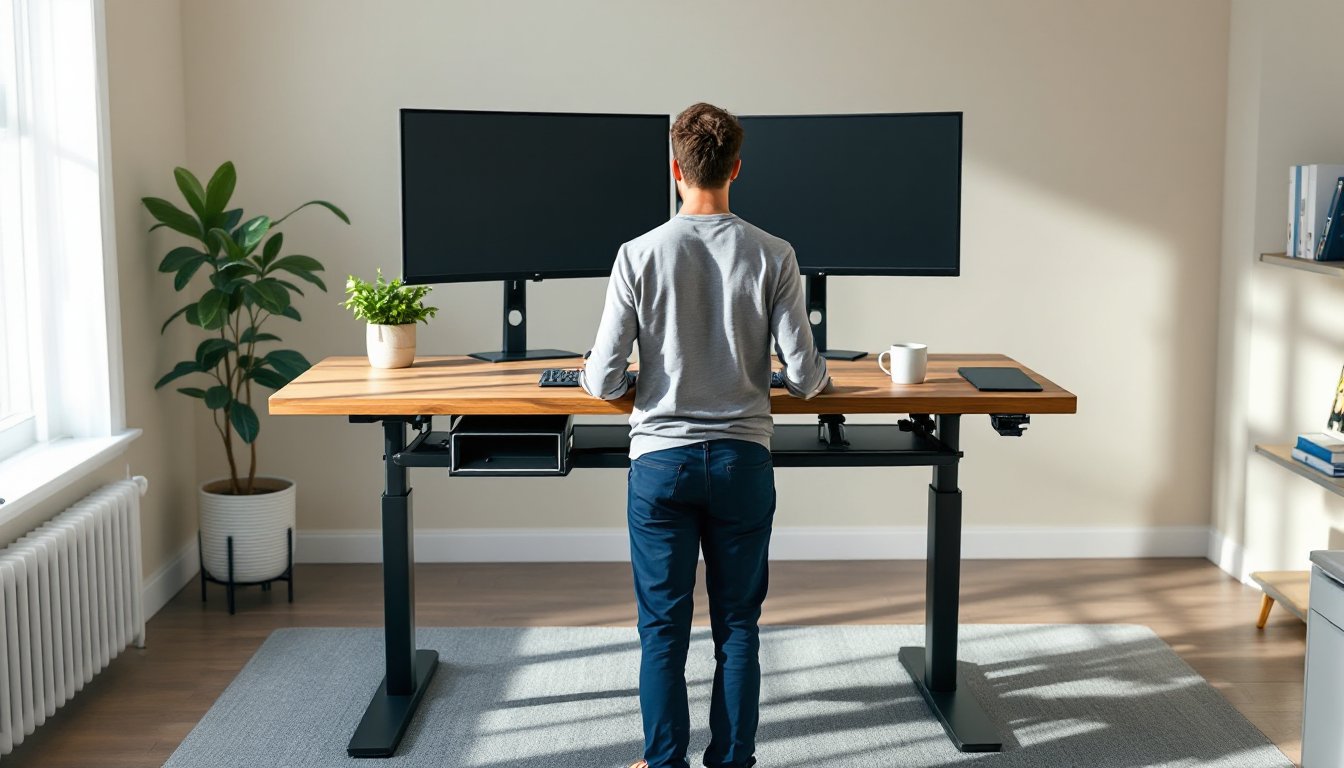
Sitting for eight hours a day isn’t just uncomfortable, it’s a slow-motion health crisis. Standing desks have moved from corporate wellness trends to practical home office solutions, and for good reason. They reduce back pain, boost circulation, and keep energy levels steady through long work sessions. But choosing the right standing desk for a home office isn’t about jumping on the latest gadget. It’s about understanding workspace constraints, ergonomic needs, and whether the investment actually fits the workday. This guide walks through the types, sizing, setup essentials, and even budget-friendly DIY options that turn a standard home office into a healthier, more productive workspace.
Table of Contents
ToggleKey Takeaways
- A standing desk office reduces back pain, improves circulation, and boosts productivity by encouraging movement, with orthopedic specialists recommending a 50/50 sit-to-stand ratio rather than standing all day.
- Electric adjustable standing desks are the most practical for home offices despite higher upfront costs ($400–$1,200), as convenience drives consistent daily use compared to manual crank options.
- Choose a standing desk size of 60 inches wide and 30 inches deep for optimal comfort with dual monitors, and verify the height range covers both your seated (28–30 inches) and standing positions (42–44 inches).
- Cable management and ergonomic accessories like anti-fatigue mats, monitor arms, and keyboard trays are essential to maximize comfort and prevent eye strain in a standing desk office setup.
- Budget-conscious homeowners can build a DIY standing desk by purchasing an adjustable frame ($200–$500) and pairing it with a butcher block or plywood top, reducing costs by $100–$300 compared to prebuilt options.
Why a Standing Desk Belongs in Your Home Office
The health case for standing desks is backed by research. Prolonged sitting increases risks of cardiovascular disease, type 2 diabetes, and chronic lower back pain. Alternating between sitting and standing throughout the day improves posture, burns more calories (roughly 50 more per hour), and reduces the spinal compression that leads to disc issues.
Beyond health, there’s a productivity angle. Many users report better focus during standing intervals, especially during tasks that don’t require deep concentration, emails, calls, light editing. The ability to shift positions prevents the mid-afternoon slump that comes from staying locked in a chair.
For home offices, standing desks solve a unique problem: the lack of movement variety. In a traditional office, workers walk to meetings, the printer, the break room. At home, it’s easy to sit for four hours straight without realizing it. A standing desk forces positional changes, even if it’s just raising the desk for a 20-minute email session.
One caveat: standing all day isn’t the goal. Orthopedic specialists recommend a 50/50 split or a 2:1 sit-to-stand ratio for most people. The key is movement, not replacement.
Types of Standing Desks for Every Home Office Setup
Standing desks come in three main categories: manual adjustable, electric adjustable, and fixed-height. Each has trade-offs in cost, convenience, and workspace compatibility.
Fixed-height standing desks are the simplest. They’re set at one height, usually 42 to 44 inches, and don’t adjust. These work for dedicated standers or for pairing with a tall stool. They’re affordable (often under $200) but lack flexibility. If the user wants to sit, they need a drafting chair or bar-height stool, which can feel awkward for long stretches.
Desktop risers sit on top of an existing desk. They don’t replace the desk but add a lift-and-lock platform for a monitor and keyboard. Risers are budget-friendly (around $100 to $300) and require zero installation. The downside: they reduce usable desk space and often feel wobbly if not properly weighted. They’re a solid trial option before committing to a full desk replacement.
Manual vs. Electric Standing Desks
Manual adjustable desks use a hand crank to raise or lower the surface. The mechanism is simple, usually a worm gear system, and there’s no reliance on power or motors. Manual desks cost less (typically $250 to $500) and have fewer points of failure. The drawback is effort. Cranking a desk up and down multiple times a day gets old fast, which discourages frequent height changes.
Electric standing desks use a motor (single or dual) to adjust height at the push of a button. Most models feature programmable presets, so users can save their preferred sitting and standing heights. Dual-motor desks are more stable and lift heavier loads (up to 300 pounds), making them ideal for multi-monitor setups or large work surfaces. Expect to pay $400 to $1,200 depending on size, motor quality, and frame construction.
Electric desks are the most practical choice for home offices where convenience drives daily use. If the desk doesn’t adjust easily, it won’t get used. For homeowners committed to making standing a habit, the extra cost is worth it.
Choosing the Right Size and Style for Your Space
Desk dimensions matter more in a home office than a corporate cubicle. Measure the space first, not just width, but clearance around the desk for chairs, filing cabinets, and foot traffic.
Standard desktop widths range from 48 to 72 inches. A 48-inch desk fits a laptop and a single monitor comfortably but feels cramped with dual screens. A 60-inch surface is the sweet spot for most setups: room for two monitors, a keyboard, a notebook, and a coffee mug without clutter. Go to 72 inches only if the room allows it and the work requires spread, designers, video editors, or anyone juggling multiple reference materials.
Depth typically runs 24 to 30 inches. Shallower desks (24 inches) save floor space but push monitors closer, which can strain eyes. A 30-inch depth allows monitors to sit farther back, closer to the ergonomically recommended 20 to 30 inches from the eyes. For corner or L-shaped setups, depth becomes even more critical to avoid a cramped L that’s hard to navigate when standing.
Height range is where many desks fail shorter or taller users. Most electric desks adjust from 28 to 48 inches. For someone 5’10”, sitting height is around 28 to 30 inches: standing height is roughly 42 to 44 inches. Users under 5’4″ or over 6’2″ should verify the desk’s range covers their seated and standing positions. A desk that bottoms out at 30 inches won’t work for a petite user.
Style-wise, standing desks range from minimalist frames with laminate tops to modern design-focused pieces with solid wood or butcher block surfaces. The frame finish (black, white, gray) should blend with existing furniture, but the top material affects both look and durability. Laminate is budget-friendly and easy to clean but shows wear quickly. Solid wood costs more but handles weight better and ages well. Bamboo splits the difference, sustainable, durable, and mid-priced.
Setting Up Your Standing Desk Office: Essential Tips
Assembly is straightforward for most standing desks, but the instructions can be vague. Budget 60 to 90 minutes for a two-piece electric desk. Most frames ship separately from the desktop. The legs attach to the underside of the top using pre-drilled holes, so alignment is critical. Lay the desktop face down on a soft surface, old blankets or cardboard, to avoid scratching the finish.
Use a level during assembly. Even a slight tilt becomes obvious once monitors and peripherals are added. Most desks include adjustable feet to compensate for uneven flooring. Once assembled, run the desk through its full range of motion before loading it. Listen for grinding or hesitation in the motor, signs of a misaligned rail or loose bolt.
Cable management is often an afterthought but makes or breaks a clean setup. Standing desks move, so cables need slack. Use a cable tray mounted under the desk to bundle power strips, adapters, and excess cord length. Velcro ties or cable sleeves keep things tidy. If the desk rises and cables are too short, monitors or peripherals will yank, or worse, pull connectors out.
For placement, avoid positioning the desk directly under overhead lights, which create glare on screens. Natural light from a window is ideal but should come from the side, not behind the monitor, to reduce eye strain.
Ergonomic Accessories to Maximize Comfort
Anti-fatigue mats are non-negotiable. Standing on hard flooring for 20 minutes fatigues the legs and lower back. A ¾-inch thick mat with a firm foam core provides enough cushion without feeling unstable. Avoid overly soft mats that cause wobbling.
Monitor arms free up desk space and allow precise height and angle adjustments. When standing, the top of the monitor should sit at or slightly below eye level. A fixed monitor stand rarely hits the right height for both sitting and standing positions. A gas-spring arm adjusts in seconds and supports most monitors up to 27 inches.
Keyboard trays are useful if the desk surface sits too high when typing. Ideally, forearms should be parallel to the floor whether sitting or standing, with wrists neutral. If the desktop is thick or the user is shorter, a negatively tilting keyboard tray helps achieve proper wrist alignment.
Footrests or balance boards add movement while standing. A subtle rocker board keeps legs engaged without distraction. Some users prefer a small footstool to shift weight between legs, which reduces lower back strain during longer standing sessions.
DIY Standing Desk Options for Budget-Conscious Homeowners
A custom standing desk doesn’t require cabinetry skills or a full workshop setup. The simplest DIY approach: buy an adjustable frame and source the desktop separately. Standing desk frames (motorized or manual) are sold standalone for $200 to $500. Pair that with a butcher block countertop, solid core door, or even a sheet of ¾-inch plywood cut to size at a home center. Finishing the wood with polyurethane or Danish oil takes an afternoon but saves $100 to $300 compared to prebuilt options.
Another budget route: the Ikea hack. Use adjustable Olov legs (around $15 per leg) with a Gerton or Karlby countertop. Four legs provide sturdy support for a lightweight setup (laptop and single monitor). The downside: manual adjustment only, and it’s slow. But for a first-time standing desk, it’s a low-risk test.
For a truly minimal build, stack cinder blocks or shelf brackets on an existing desk to create a fixed-height riser. It’s not elegant, but it works. Cut a piece of MDF or pine to the desired size, sand the edges, and set it on the supports. Add rubber furniture pads underneath to prevent slipping. This option suits renters or anyone testing standing before investing.
Homeowners with smart home tech integration can add motorized standing desk controllers to existing furniture. Retrofit kits exist for desks with sturdy frames, though installation requires drilling and wiring. This approach works best for heirloom or custom desks worth preserving.
One caution: DIY desks need proper weight distribution. If building a custom top, ensure it’s thick enough to prevent sagging. A 1.5-inch thick butcher block handles most loads: ¾-inch plywood needs center support if the span exceeds 48 inches. Reinforce the underside with a 1×3 lumber brace running front to back.

